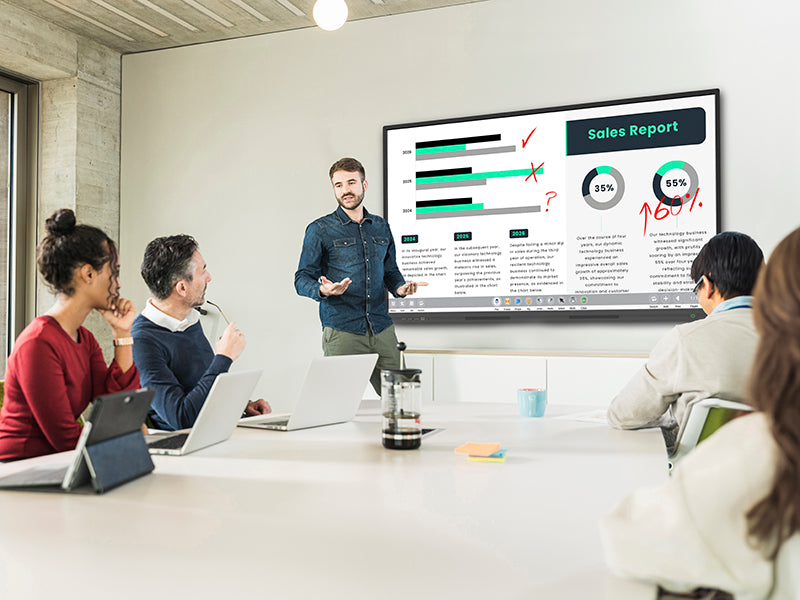
4K Interactive Touch Display with MeetingPad Software
4K Interactive Touch Display with MeetingPad Software
Description
Description
Interactive whiteboard solution for classrooms and meeting rooms, with integrated annotation and wireless mirroring software
Modern Interactive Whiteboard
This interactive touch display features a sleek, modern enclosure that stands out in any classroom or meeting space. Its ultra-slim bezels allow the active display area to occupy more than 91% of the total screen size, creating a more immersive viewing experience.
Built with aluminium bezels and a moulded polymer rear casing, the display is exceptionally lightweight and can even be mounted on a stud wall.
4K Display
The 4K Ultra HD screen delivers outstanding image quality with a resolution four times higher than Full HD.
Optimised for both close-up and long-distance viewing, it ensures your content remains sharp, clear, and impactful in any environment.
Introducing MEETINGPAD: The Ultimate Collaboration Tool
Our advanced MeetingPad software brings the 4K Slim Bezel Interactive Touch Display to life.
Using the built-in Android system, users can annotate directly over office documents, PDFs, images, and videos. You can even annotate over content from external inputs, such as a connected laptop.
MeetingPad also enables wireless screen mirroring and file sharing between user devices and the display — with no additional hardware required. These wireless features are compatible with Android, Apple, and Windows devices, and even allow users to annotate and control the screen from their own device.
Best of all, there are no subscription fees or licence charges for this software.
Multi-Device Wireless Mirroring
Wirelessly display content from up to four devices simultaneously, including smartphones, tablets, laptops, PCs, and Macs.
With mobile devices, mirroring works in both directions, and users can even take control of the touch screen remotely. 5GHz wireless mirroring ensures fast response times without the need for external cables or transmitters.
Easy File Sharing
Once connected, users can quickly share documents, videos, images, and audio files from a smartphone, tablet, laptop, or PC directly to the touch screen.
Files can also be shared from the touch display back to a device via email or by scanning a QR code with a smartphone or tablet.
Smart Pen Stylus
Two stylish interactive Smart Pens are included as standard.
These wireless styluses allow users to control the display from anywhere in the room. Functions include changing pen colour, saving annotated documents, navigating PowerPoint presentations or websites, and returning to the MeetingPad home screen.
Slim Bezel Design
The display features an ultra-slim bezel for a sleek, contemporary appearance and a maximised screen-to-body ratio.
The front frame is crafted from segmented aluminium for exceptional precision, while the polymer rear helps keep the unit slim, lightweight, and easy to install.
Optional Windows OPS PC
Two slot-in OPS Windows PC options are available: one high-performance model and one more budget-friendly version.
By adding an OPS PC, you can enjoy both Android and Windows built in, without the need to connect external devices.
20 Touch Points
Designed for collaborative environments, the screen supports up to 20 simultaneous touch points — ideal for group work, training sessions, and interactive meetings.
Easy Access Ports and Controls
In addition to the power and standby buttons, the display includes two front-facing USB ports for quick and convenient access.
These are ideal for plugging in USB drives and opening files directly in MeetingPad or on the optional OPS PC.
Etched Glass
The etched glass surface improves tactility, making touch gestures smoother and more precise — especially when multiple users are interacting with the screen at once.
An anti-glare nano coating helps diffuse external light, improving visibility and making images and videos appear clearer.
Integrated Speakers
The display includes two ultra-slim integrated 20W speakers, ideal for presentations and content with audio.
Connectivity
In addition to the built-in Android system, the display can also function as a touch screen monitor when connected to a PC or laptop via HDMI and USB.
PushShare
PushShare works seamlessly with our 4K Slim Bezel Interactive Touch Displays, enabling wireless mirroring from multiple devices, including Windows and Apple laptops and PCs.
Once the PushShare dongle is connected, users can start wirelessly sharing their screen instantly with a single press of a button.
PushShare is simple to use for all levels of technical ability and requires no installation or training, helping you maximise return on investment.
Care Information
Care Information
3 Years Warranty and Lifetime Support
Delivery
Delivery
Est. Delivery: 3-5 Days
Product Technical Details
Product Technical Details
Couldn't load pickup availability